


How HandyGo booking works.
Booking a repair or cleaning service should not mean three phone calls and a price you only hear once the work is finished. Here is the whole booking, screen by screen, from the real HandyGo app.
The customer side
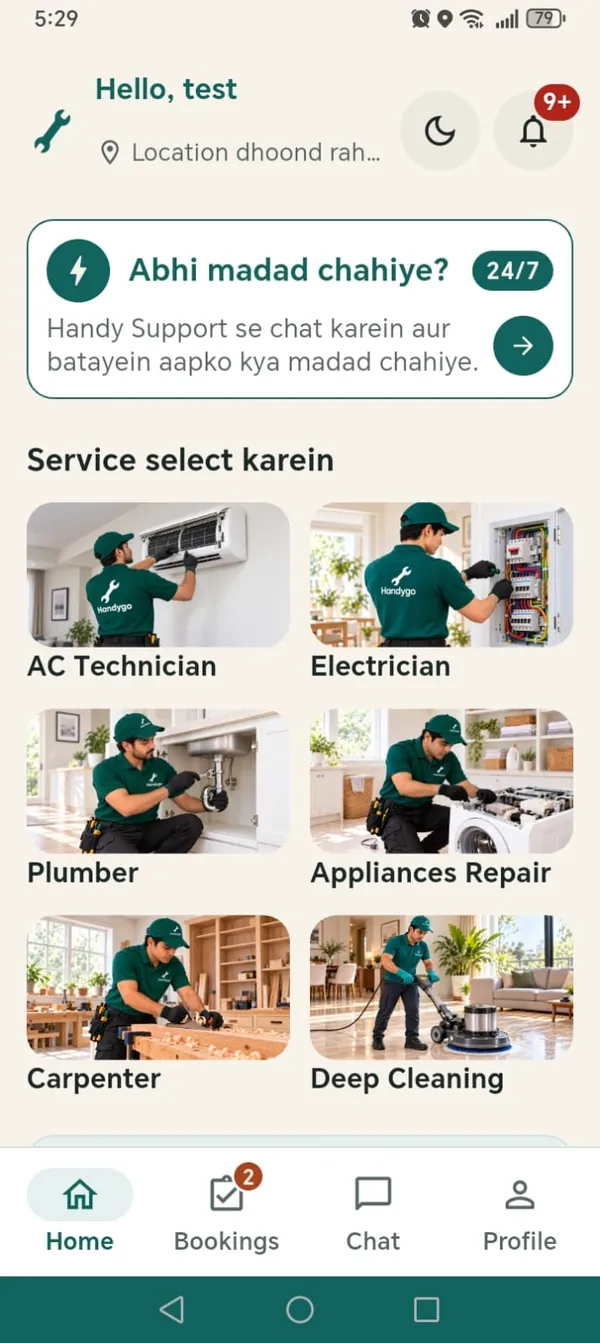
Choose a service and set the address
Pick the service you need. Use your current location, place a pin on the map, or search for your address, then add details such as the floor.
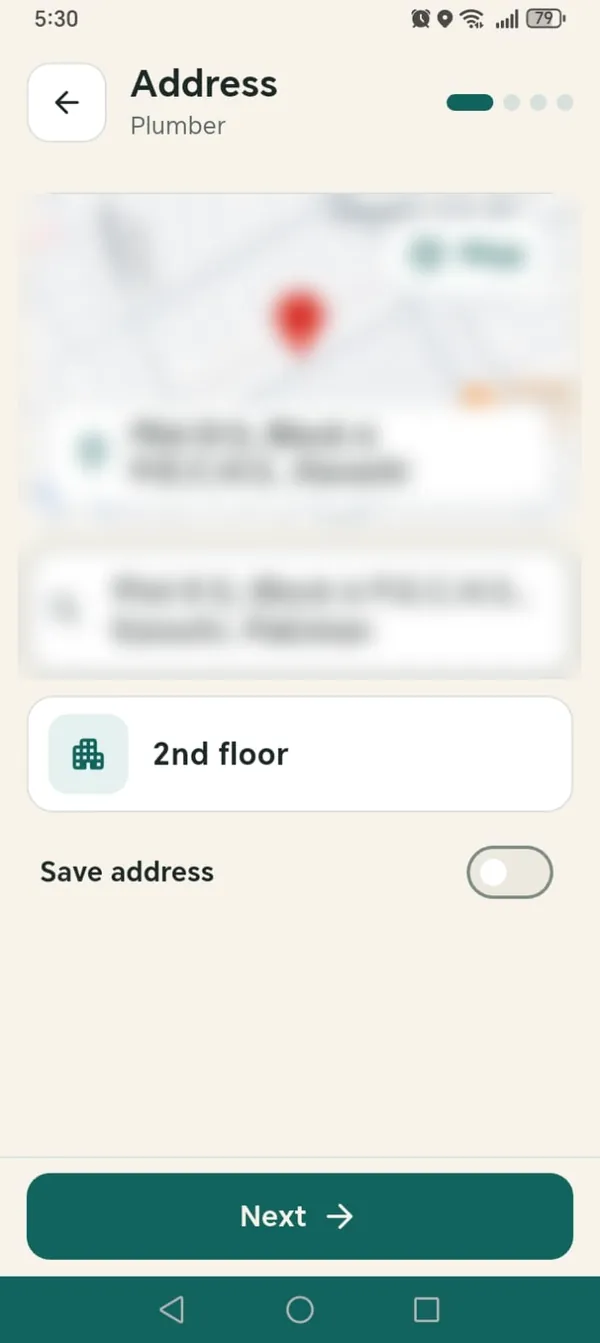
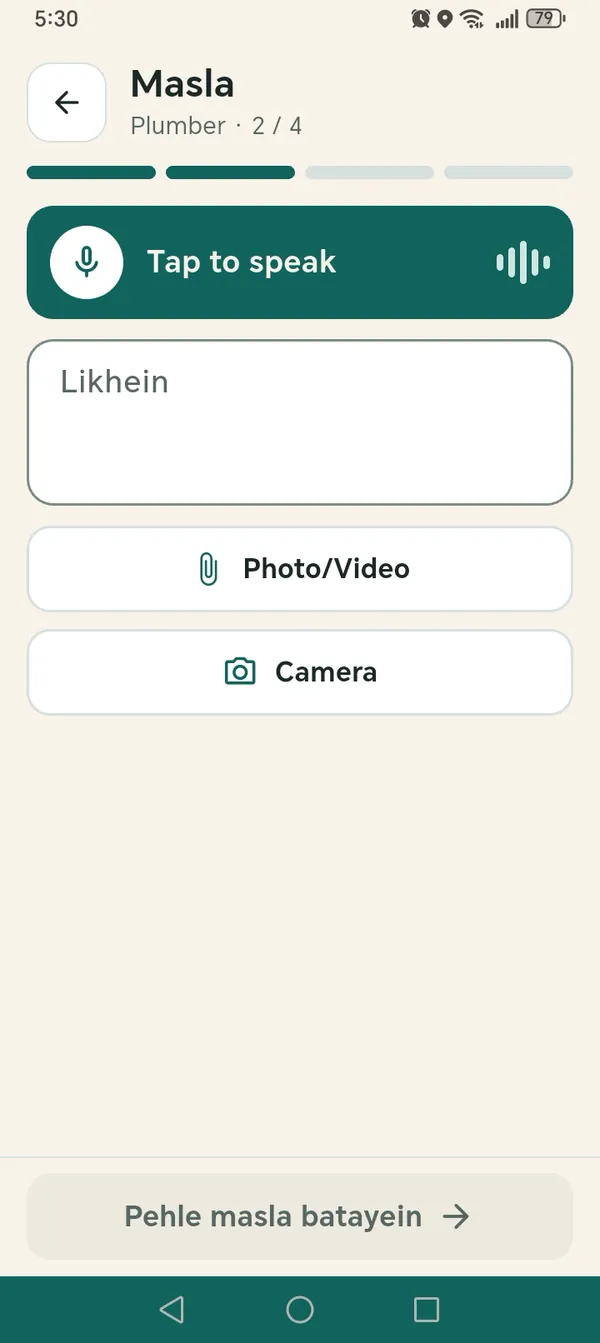
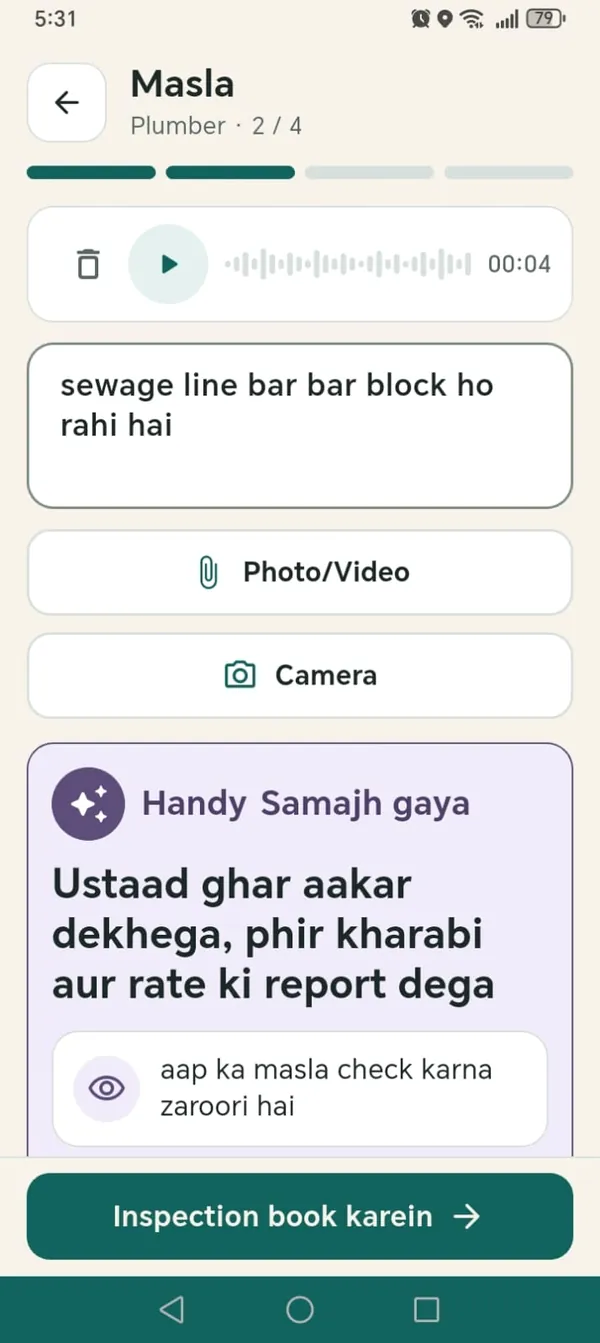
Describe the problem: voice, text, photo or video
Tap to speak or type it out, and add photos or a video. Handy reads it back as a short summary: what the Ustaad will check and what to expect.
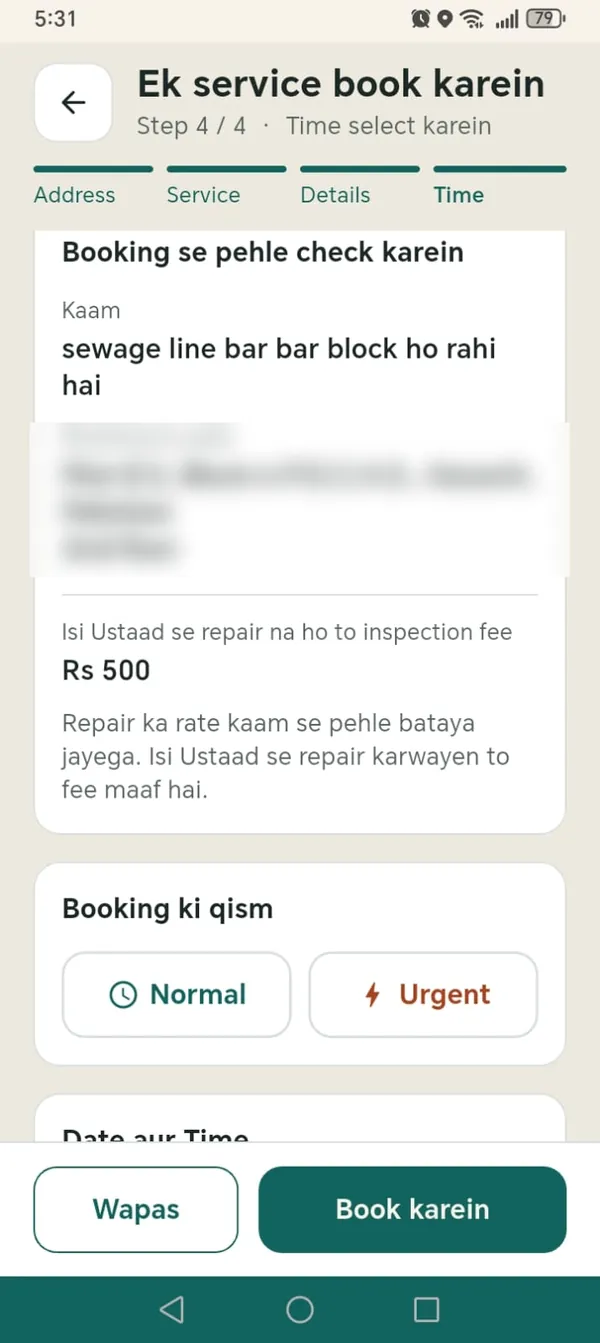
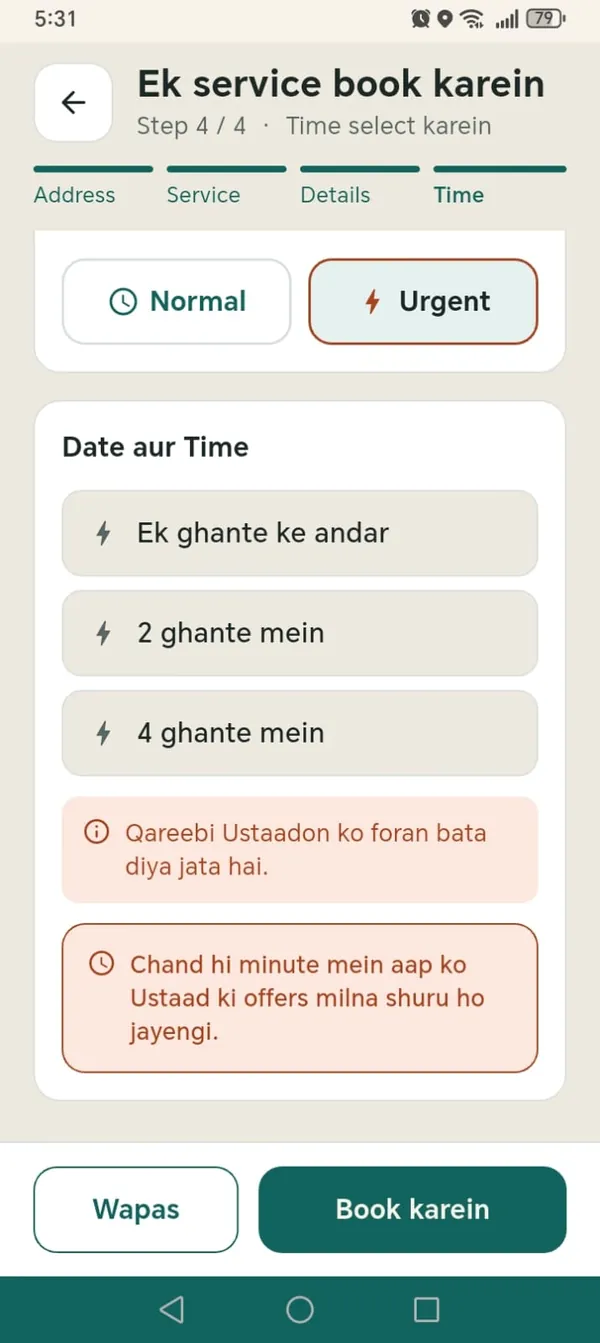
Check the booking, choose normal or urgent
Review the job and address before you book. Choose Normal or Urgent, and when you want the Ustaad to come. The inspection fee is shown here, before you confirm.
Current inspection fee: Rs. 500 for AC Technician, Electrician, Plumber, Appliance Repair, Carpenter and Deep Cleaning.
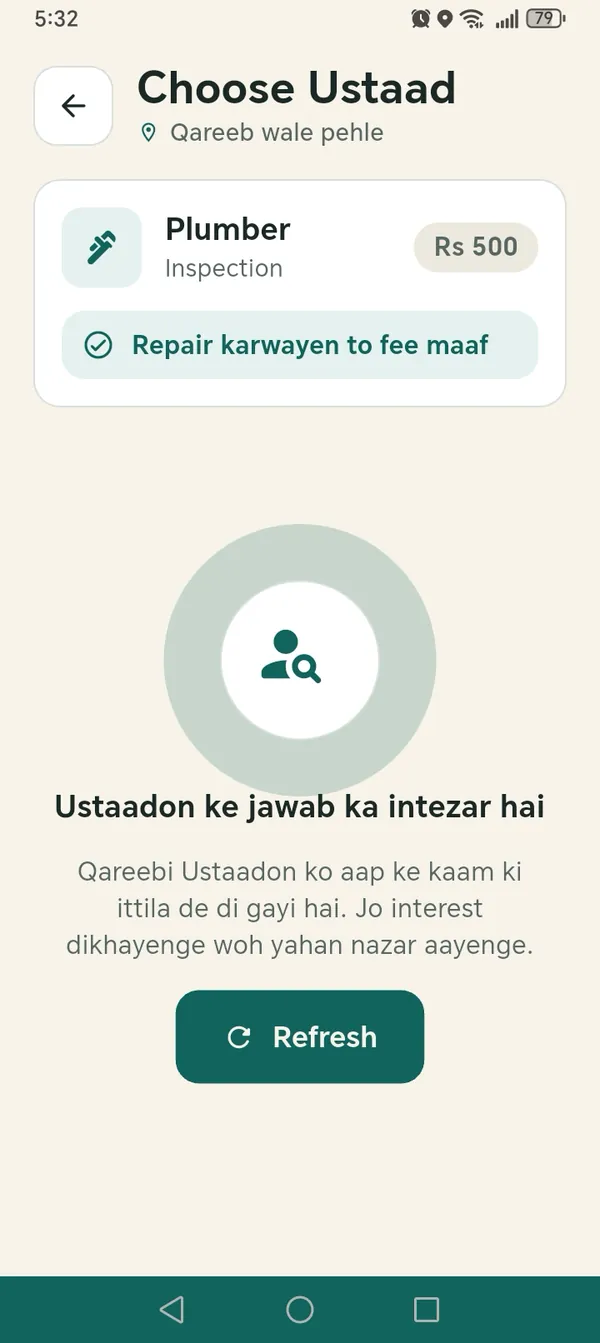
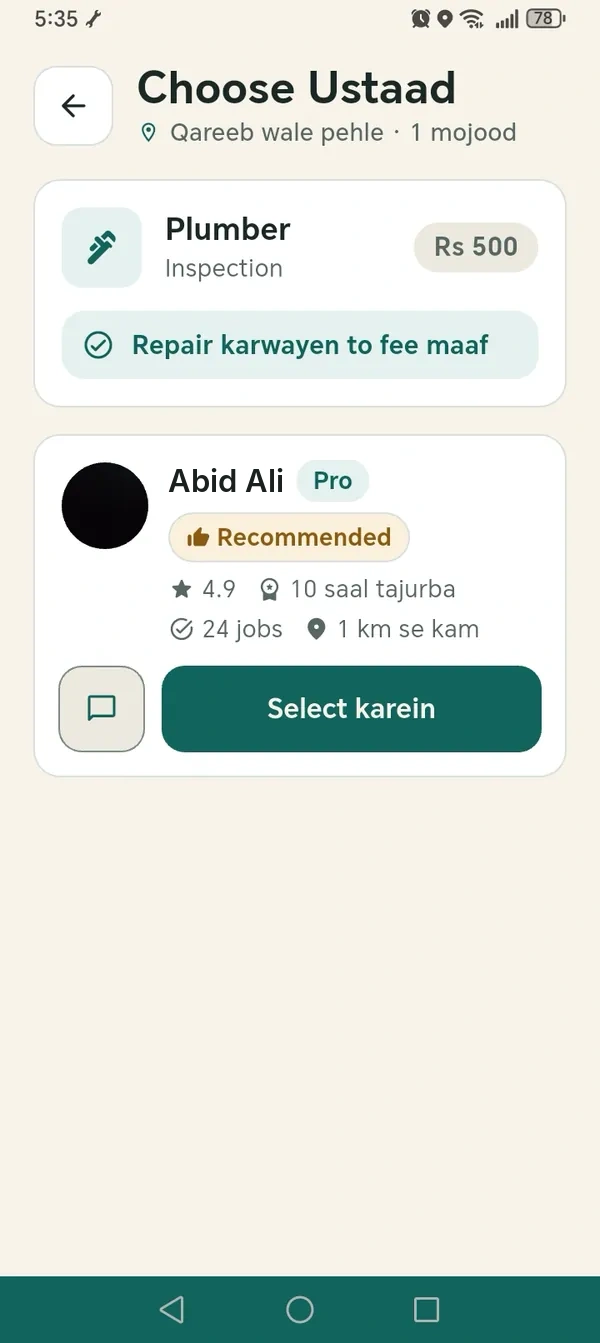
Compare offers and choose your Ustaad
Nearby Ustaads are told about your job. Those who are interested send an offer showing rating, experience, jobs done and how far away they are.
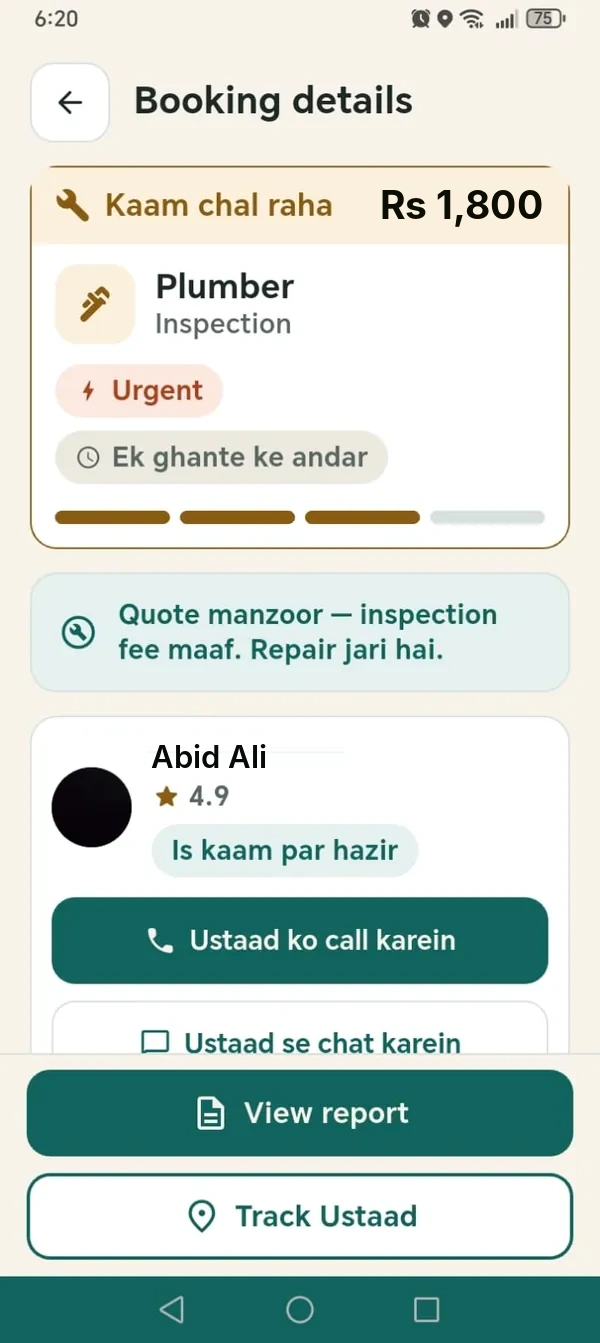
Follow the booking
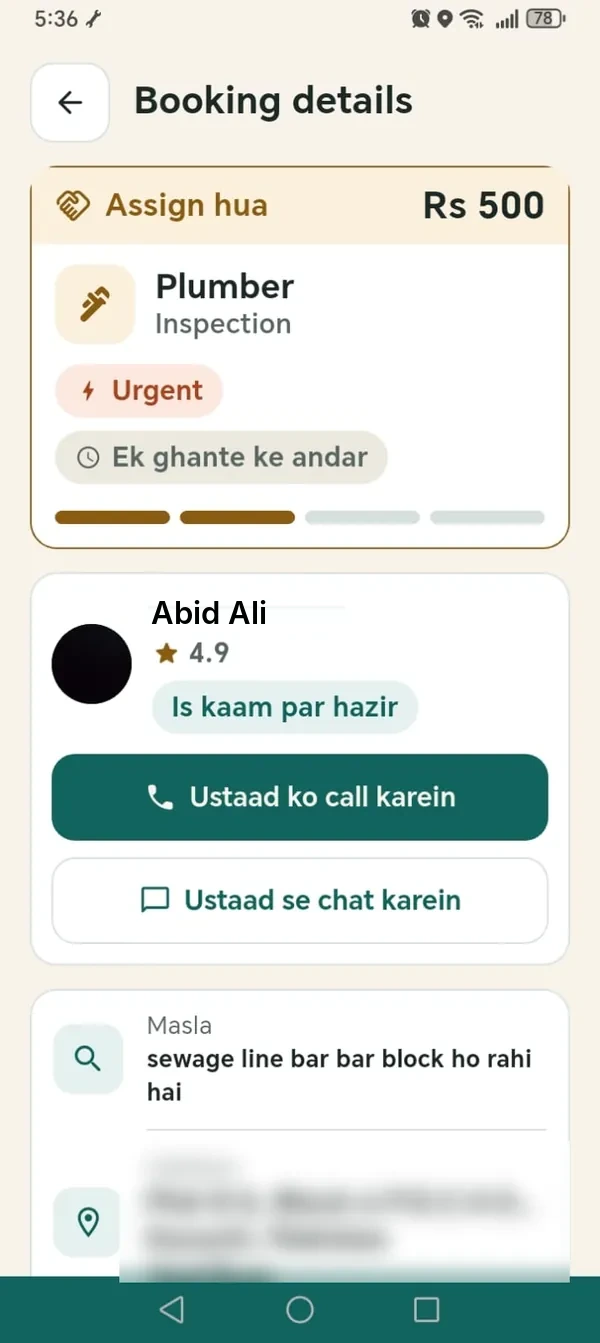
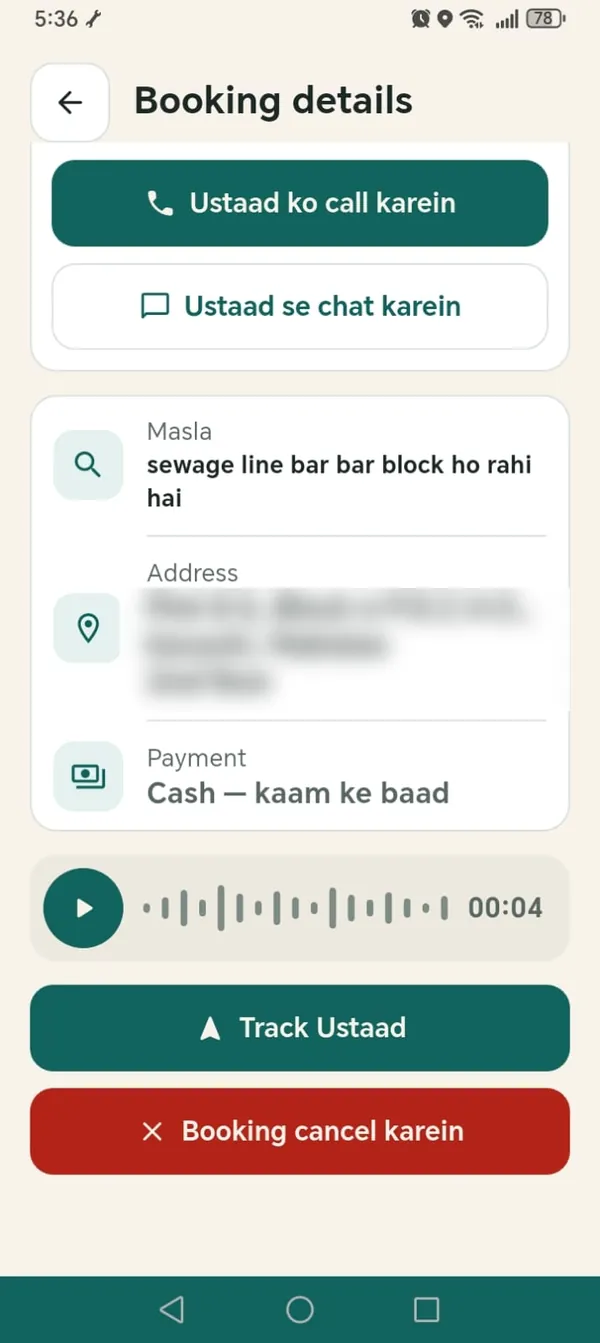
Your booking page shows the status, your Ustaad, and buttons to call, chat, track them, or cancel. Chat works like WhatsApp: photos, videos, voice notes and your location.
Read the inspection report and decide
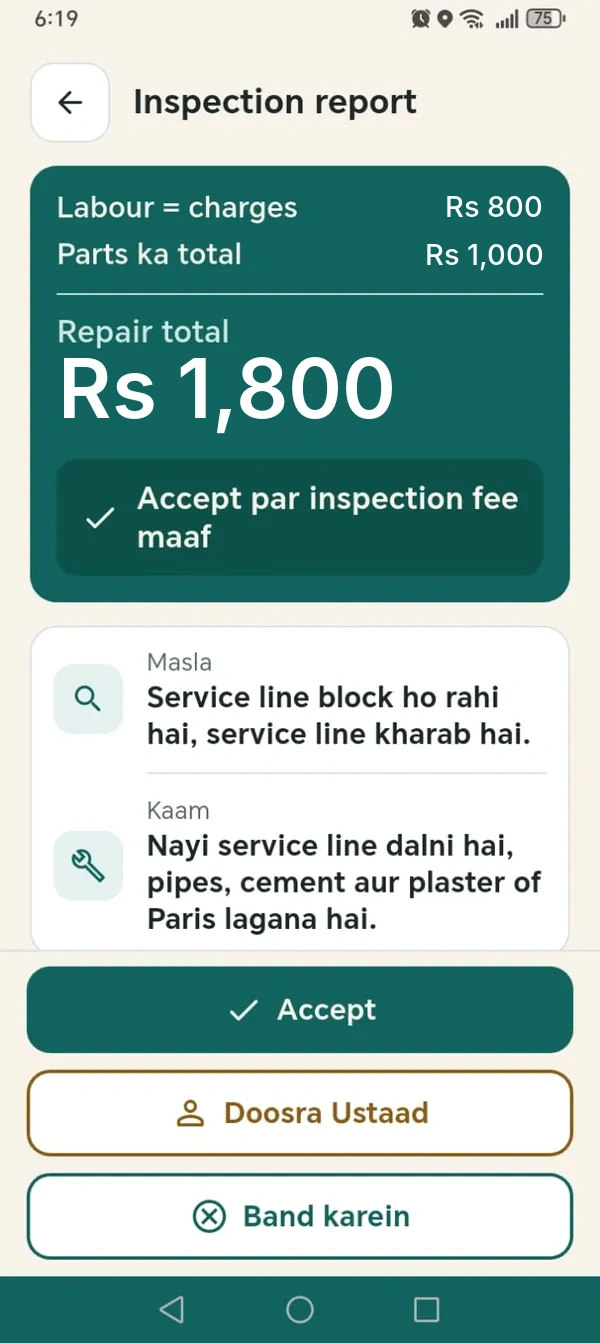
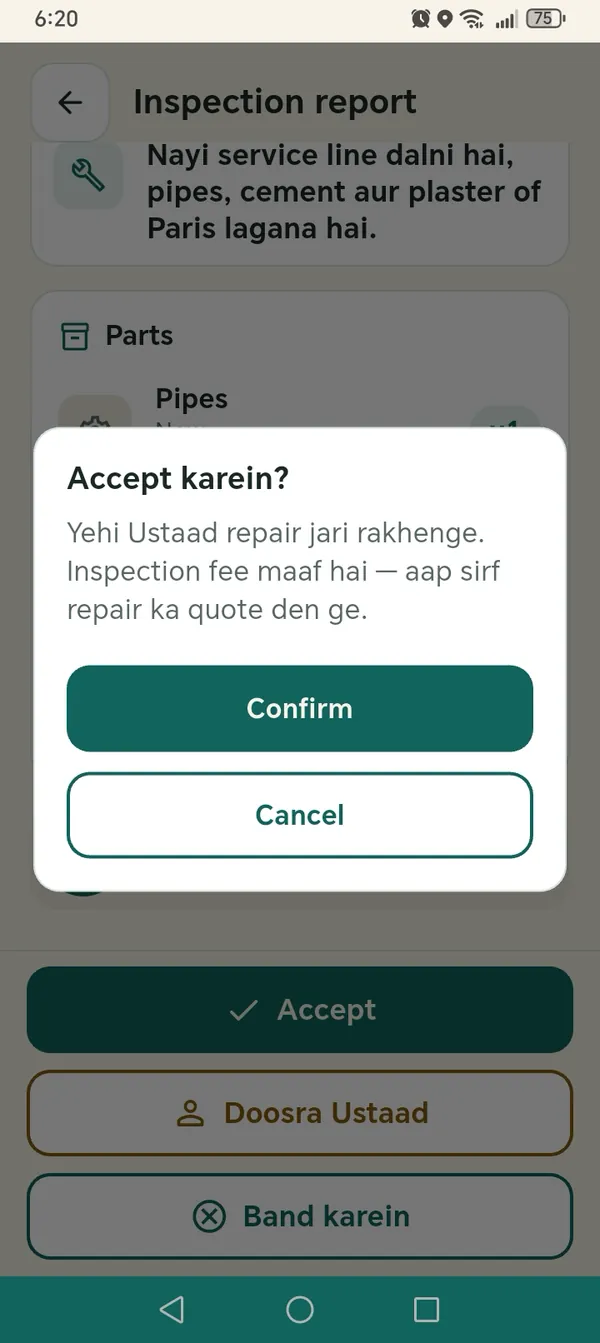
After the inspection the Ustaad sends a report: the problem, the work, each part and the labour. You can Accept, ask for a different Ustaad, or close the booking. Repair work does not start until you accept.
If you choose to have the same Ustaad complete the quoted work in the same booking, the inspection fee is waived. If you do not proceed with the quoted work, the disclosed inspection fee remains payable.
Work, payment and review
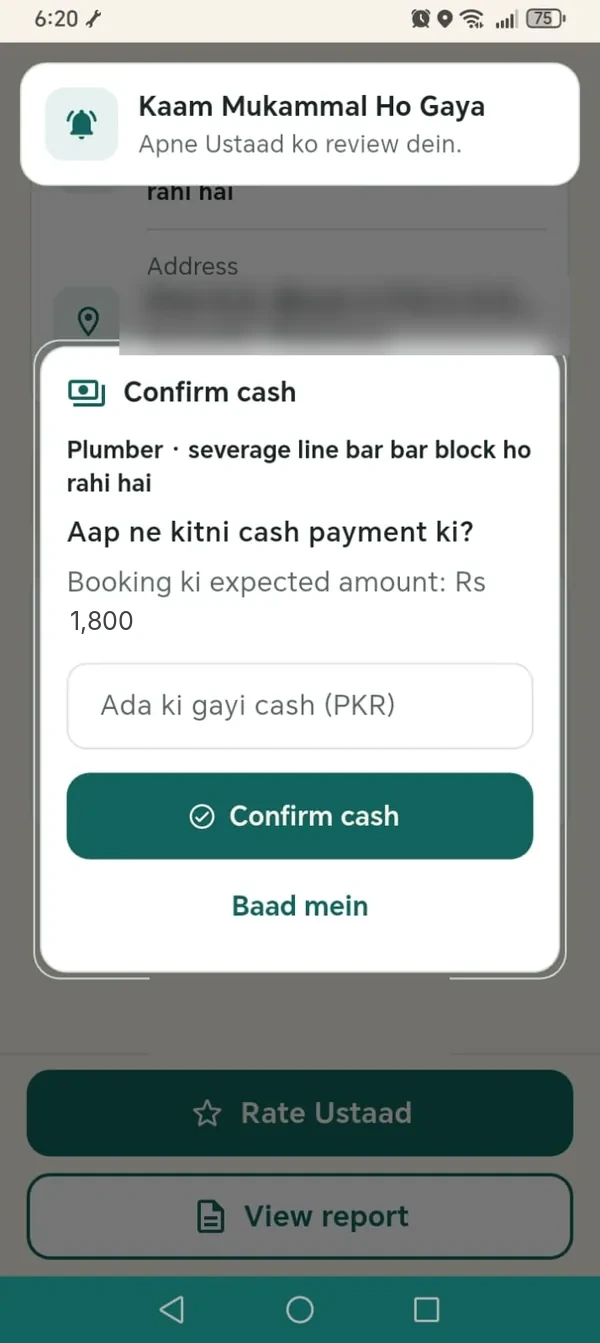
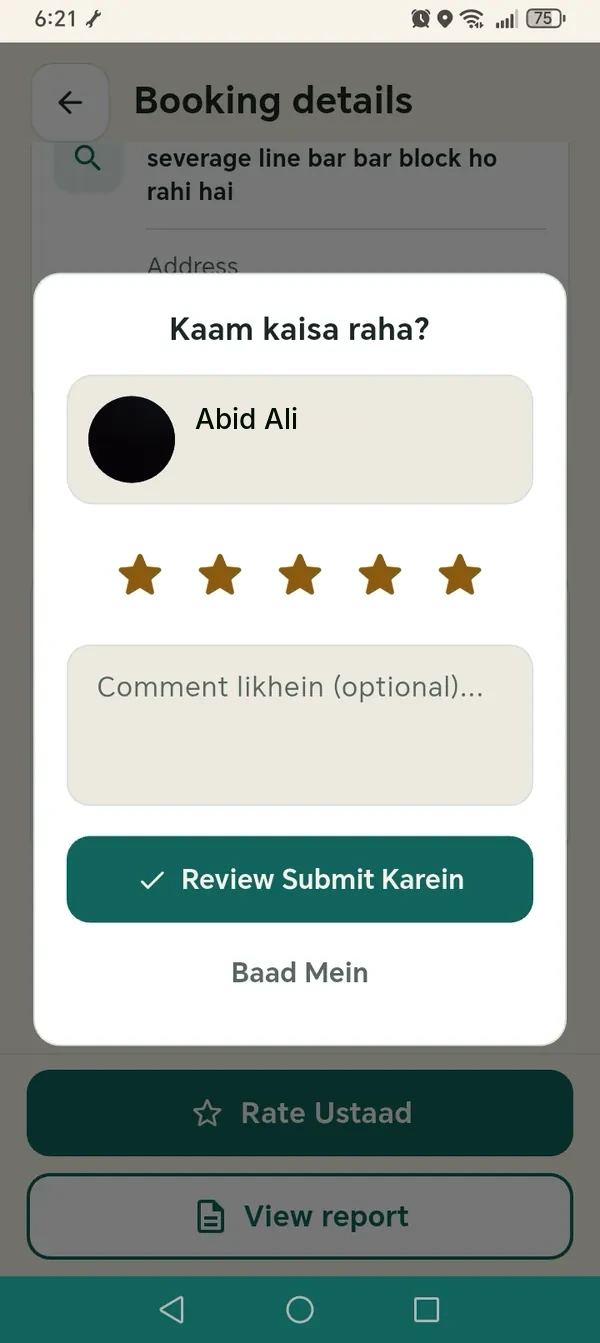
When the work is complete you confirm the amount in the app, then rate your Ustaad and leave a comment. Payment follows the current in-app instructions.
If something else is wrong, use Report a problem in the booking. Support reviews it.
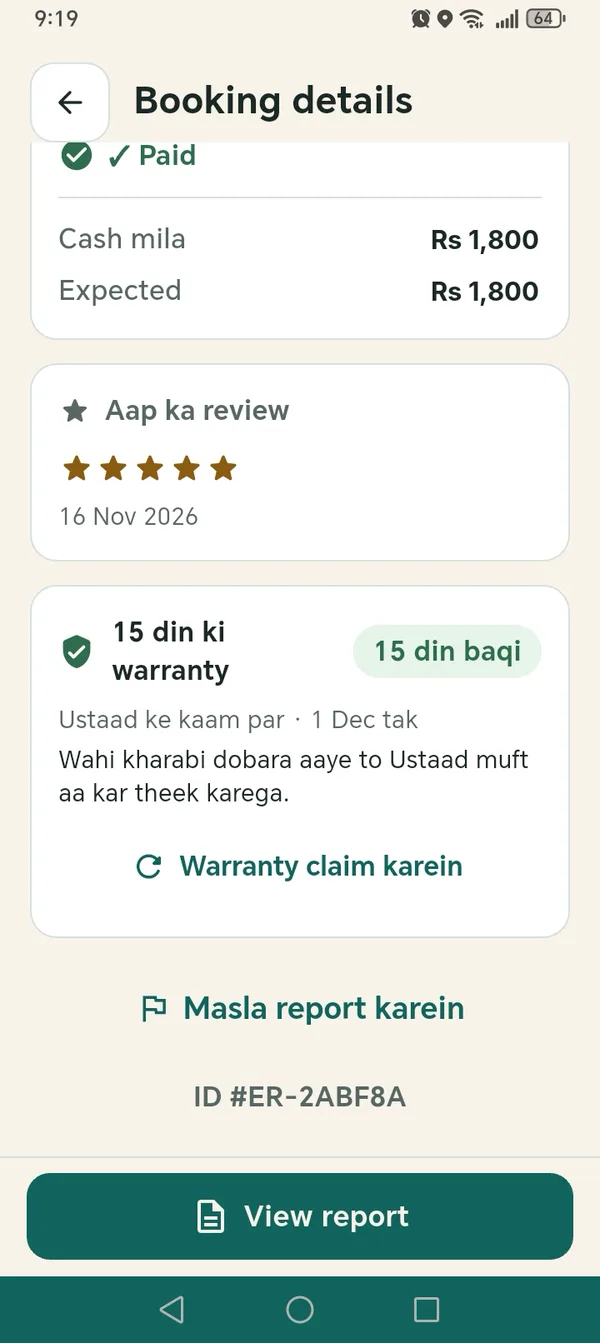
15-day work warranty on repairs
Repair work comes with a 15-day work warranty from the day the job is completed. If the same fault comes back, the Ustaad returns and fixes it at no charge, subject to HandyGo's workmanship policy.
You claim it from the completed booking in the app. It covers the Ustaad's work and does not apply to an inspection-only booking.
And on the Ustaad side
The Ustaad sees your job as a new complaint, sends an offer, travels to you and the app marks their arrival by GPS. After the visit the Ustaad speaks the report and Handy writes it. The Ustaad checks it and sends it to you for approval.
See the Ustaad flowWhat we hold ourselves to
Three things, written plainly, so you can hold us to them.
CNIC and in-person checks
HandyGo checks CNIC information and verifies active Ustaads in person. These checks support informed booking decisions.
Support when something goes wrong
Report a service concern through the app. HandyGo reviews the case and determines any eligible reinspection, rework or refund under its policies.
Clear cancellation rules
You can cancel or reschedule once at no charge before your Ustaad is marked On the Way. Later cancellations are recorded as late cancellations under the applicable policy.
Ready to book?
Get the HandyGo app, choose a service and describe the problem.
Always rely on the details and prices shown in the HandyGo app.